In your favourite browser go to
https://berwyn.u3asite.uk/wp-admin
and sign in with your credentials.
Open your Dashboard and follow the steps shown below.
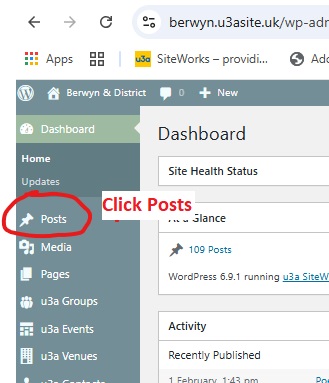
Open the SiteWorks Dashboard and Click Posts in the menu as shown on the left.
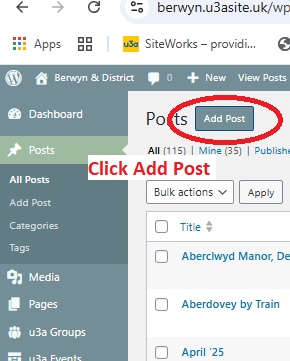
Find Add Post in the Dashboard menu or the top Header and click.
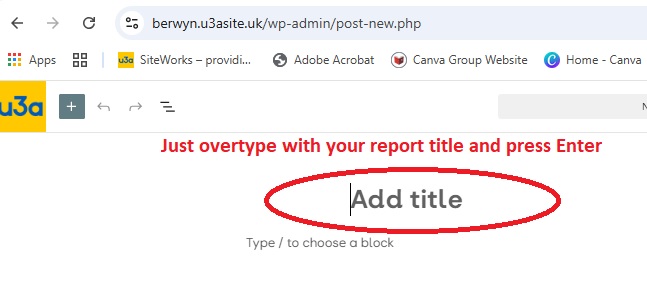
In the editing screen that opens, type the title of your report in place of the words "Add title"
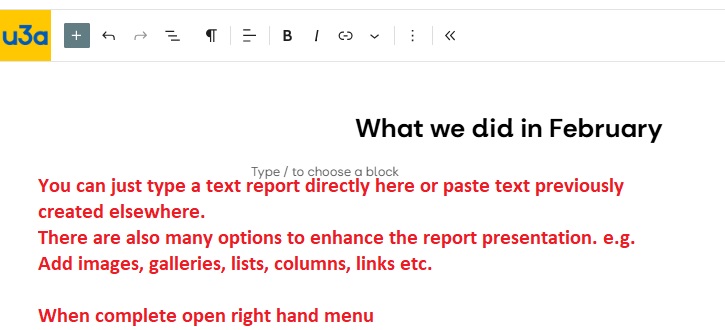
Type in your report to replace the words "Type / to chose a block".
You can also paste previously prepared text into this area.
You can use many different styles and options to enhace the report's appearance. Ask your webmaster for details.
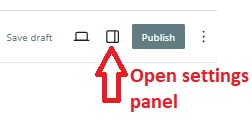
Open the settings panel on the right and check that it is set to Post.
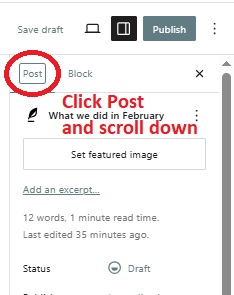
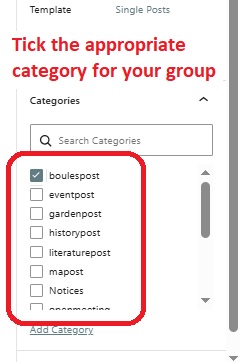
Scroll down the options to find the Search Categories area.. There is a long list in alphabetical order. Tick the category related to the required group.
It is possible to select more than one category if required.
IMPORTANT - If you do not set the appropriate category your report will never appear!
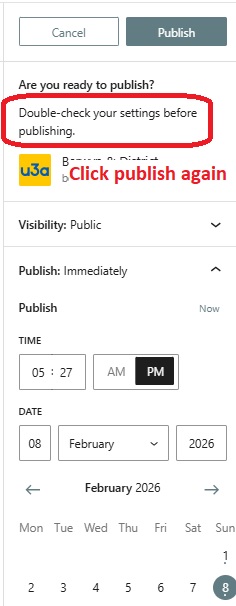
When you are happy with your report's content click Publish at the top right corner
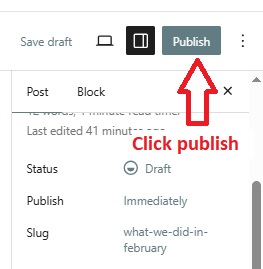
Review the options in the settings panel.
You can publish the report immediately or defer it to a later time or date.
Click Publish again to confirm.
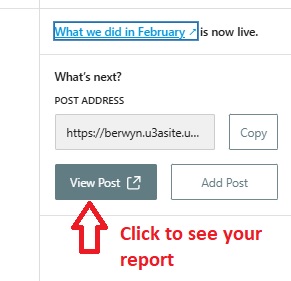
To see your report click View Post
Navigate to your group page and scroll down to see your new report automatically showing in the previous meetings section.
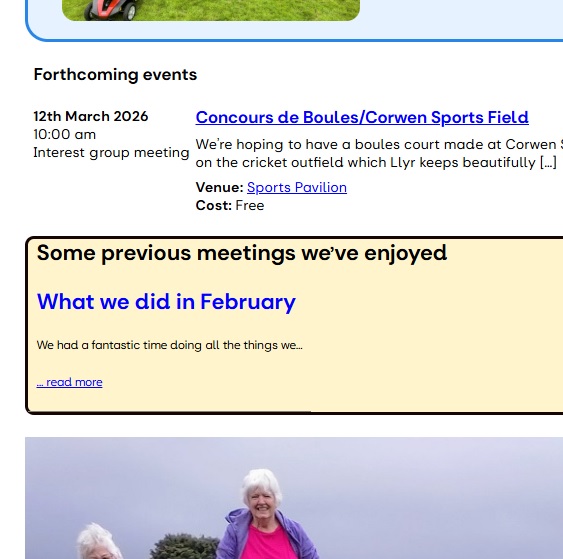
Your report is now visible in your group page and visitors can click the title in blue to see your report in full.